Your Personal Website, Written for You:
Live in a Minute, Current Forever
CSPaper
A part of Scholar7 AB · November 2026
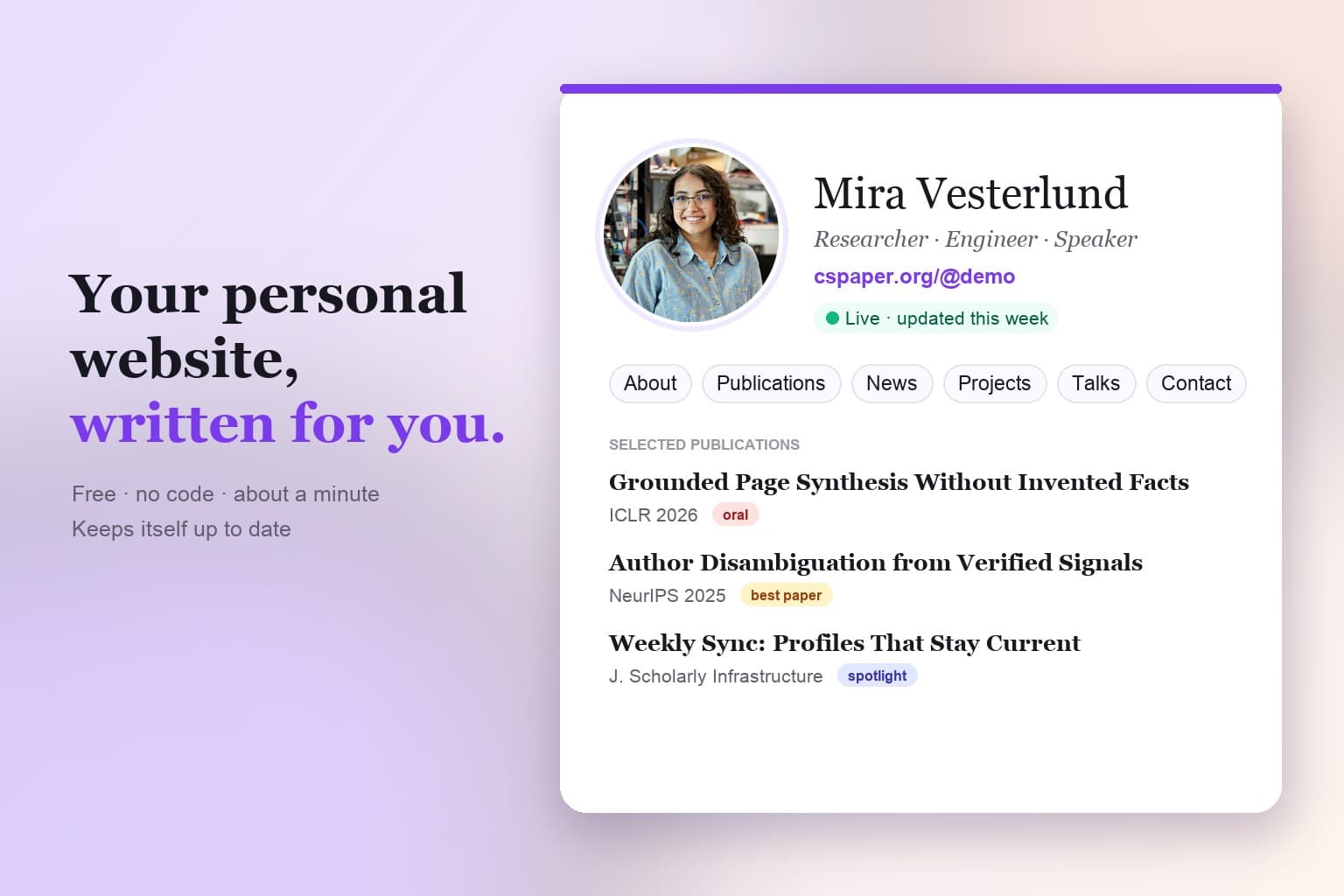
TL;DR
Everyone who gets looked up needs a personal website. Almost nobody has one that is current, because building it takes a weekend and maintaining it takes forever.
CSPaper Personal Page writes it for you from the profiles you already have, puts it live at cspaper.org/@you in minutes, and keeps it up to date on its own. Free.
Search your own name right now.
What comes up is a profile somebody else designed, a company page that vanishes when you leave, and a list of papers with no person behind it.
None of them is you.
Why you need one page
Hiring committees, prospective students, journalists, the collaborator you met at a poster session: they all look you up. They want one page, with your name on the door, that says what you work on, what you have done and how to reach you.
A personal website is that page. It outlives every employer and every platform, and when it is complete and current it does your networking for you, around the clock.
Why you never made one
GitHub Pages template
Markdown, YAML, a hand-kept BibTeX file and a Git push for every change. Most stop being edited within a year.
Wix, WordPress, Google Sites
Quick to start, then every paper, talk and project is typed by hand. Forever.
Your employer's profile page
No effort, no control. Incomplete today, gone the day you leave.
Scholar, ORCID, GitHub, LinkedIn
Great records of what you did. Not a homepage: no bio, no news, no projects, no story.
The hard part was never building the page. It is keeping it current. That is the work nobody has time for, so the page is never made, or made once and left to rot.
Meet CSPaper Personal Page
Your records already exist: papers indexed, code on GitHub, positions on your profiles. CSPaper Personal Page reads them and turns them into a homepage. Then it keeps reading.
Writes itself
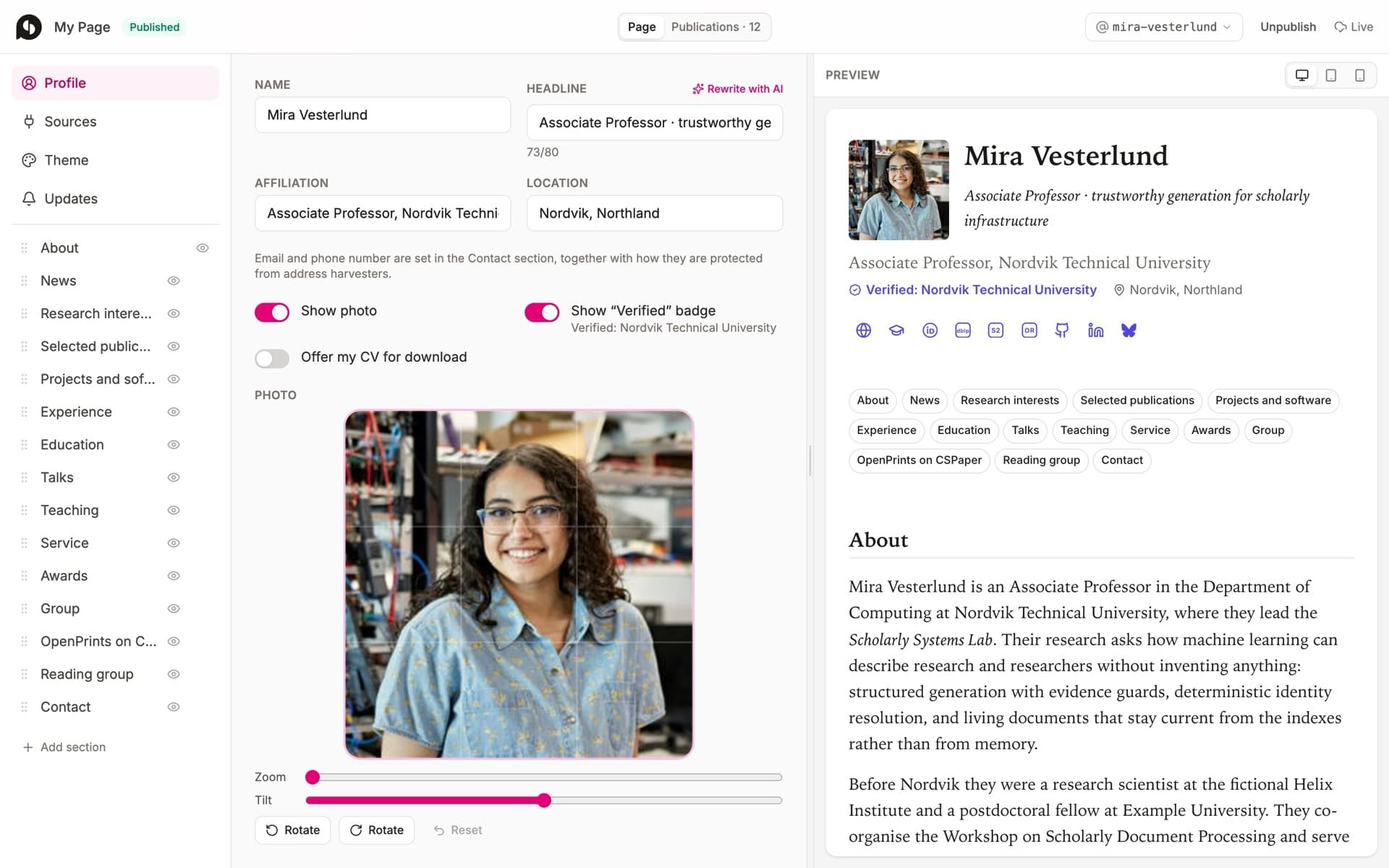
Connect one profile. Your papers, code, positions and bio are collected, merged and drafted for you, every line traceable to a source.
Live in minutes
Pick a handle, read the draft, press Publish. Your page is at cspaper.org/@you. No hosting, no domain, no code.
Updates itself
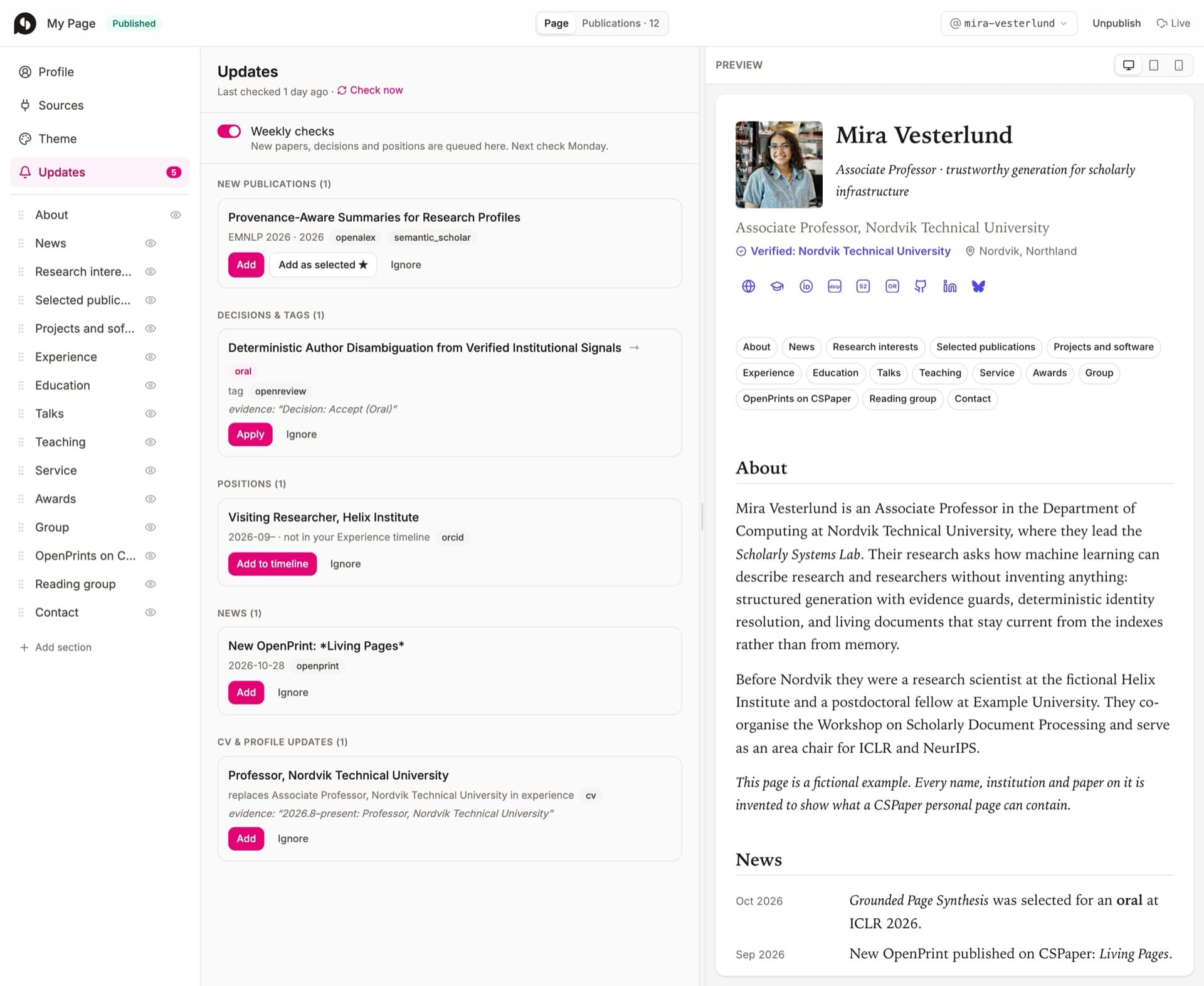
Every week it checks your sources. New papers, decisions, positions and citation counts arrive as one-click suggestions.
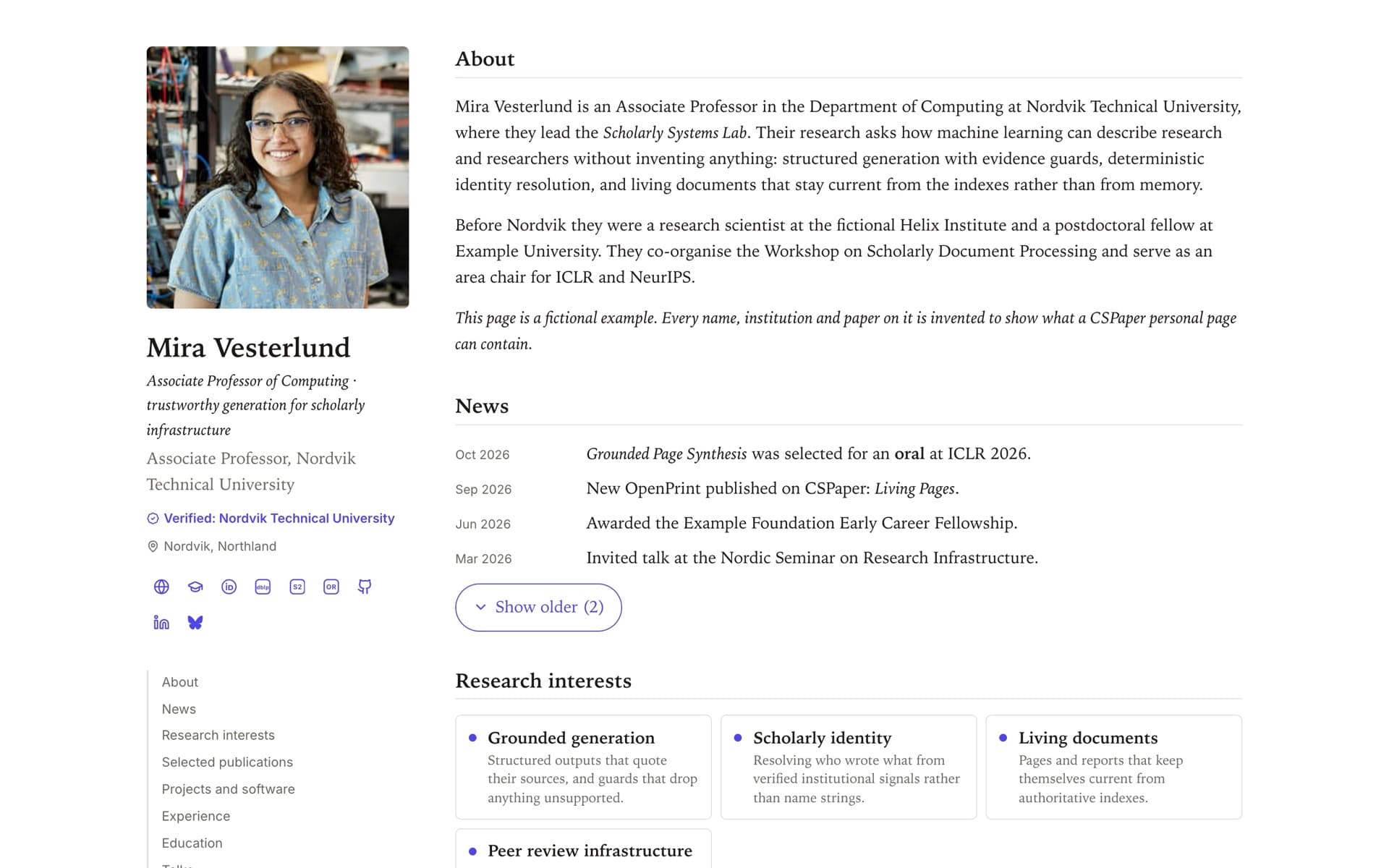
Publications come merged from OpenReview, ORCID, OpenAlex, Semantic Scholar, DBLP and your OpenPrints on CSPaper, de-duplicated, with badges such as oral, spotlight and best paper, citation counts, links and BibTeX. GitHub repositories become projects. Positions become a timeline. A short bio, research interests and news are drafted from the same evidence, and anything the sources do not support is dropped before you see it. Google Scholar, LinkedIn and your social accounts appear as links. You can change any of it.
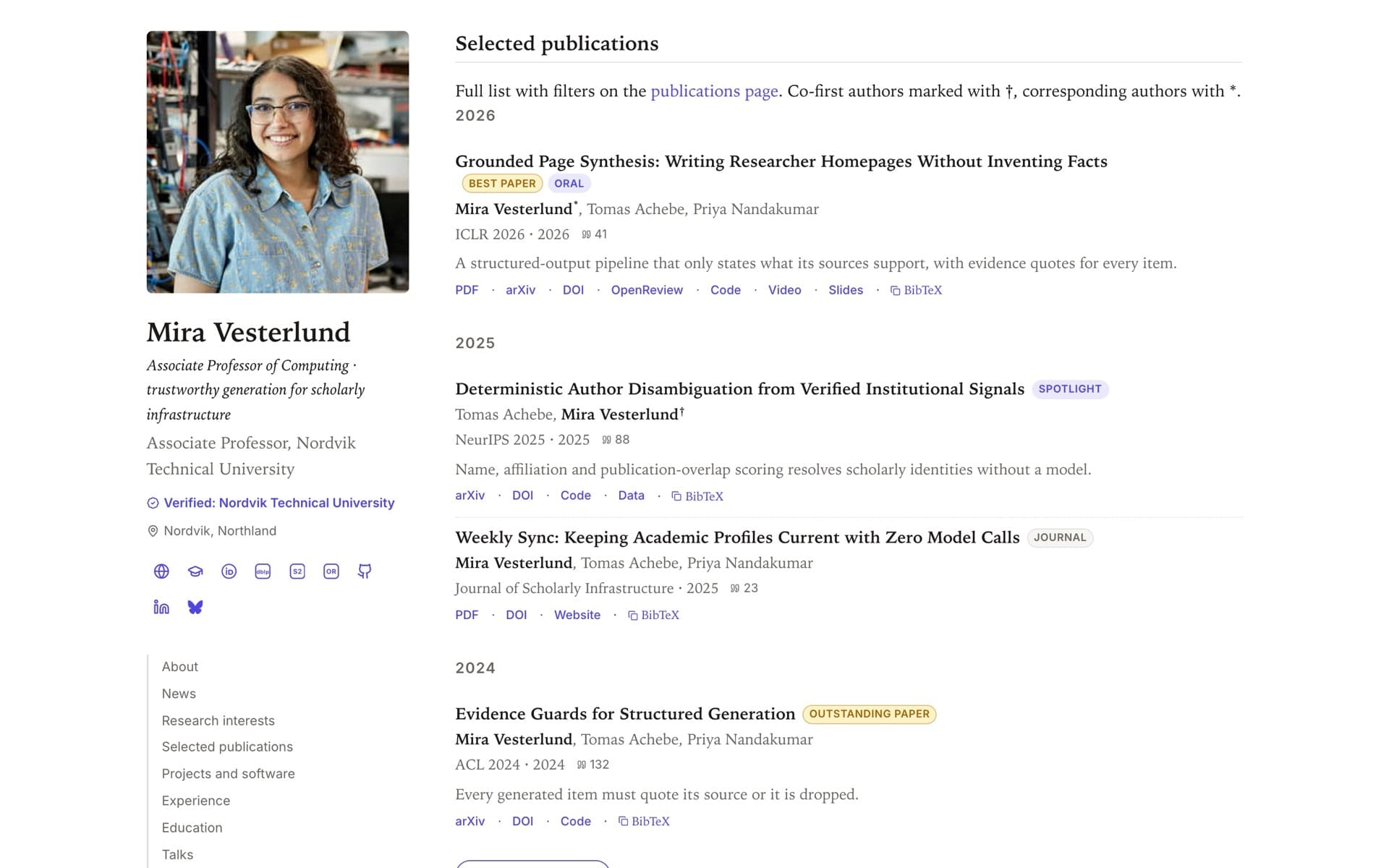
Your page also reaches back into CSPaper: on every paper published as an OpenPrint, the name of an author who has a page links to it.
Set it up in minutes
- 1
Verify your affiliation
Add your university or institute email on your profile and confirm it. That is the whole gate.
- 2
Pick your handle
Your page lives at cspaper.org/@you.
- 3
Connect one profile
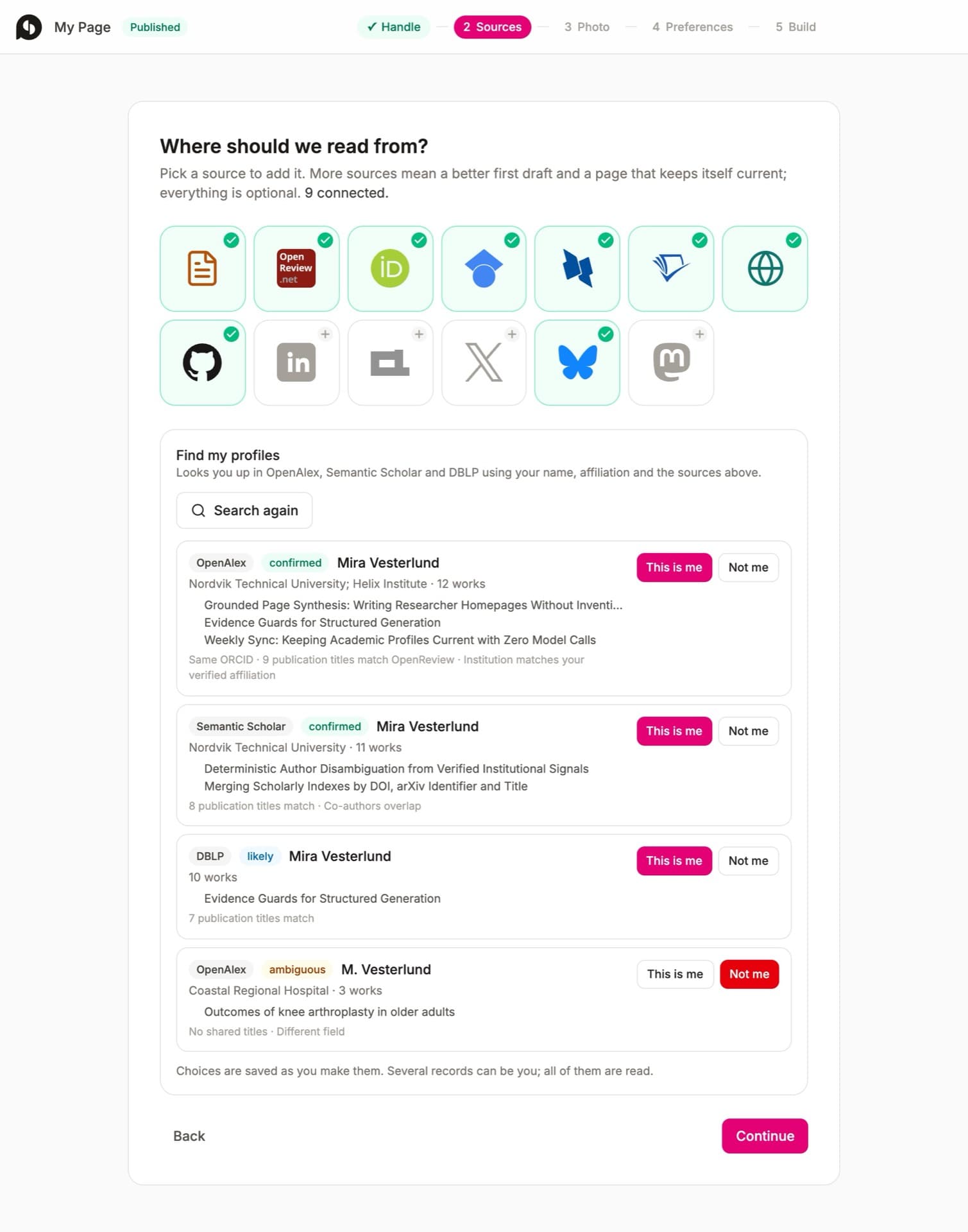
OpenReview, ORCID, DBLP, Semantic Scholar, GitHub, your current website or a CV. The page finds your author records and asks you to confirm them with a click.
- 4
Choose a look
Three themes, your accent colour and font, light or dark. Change it any time.
- 5
Read and publish
The draft takes a minute or two to write. Fix a word, add a photo, press Publish.
Maintaining it: there is nothing to do
Once a week your page checks the same sources. Citation counts update quietly. Anything that would change the text waits in your editor as a suggestion with its evidence attached: a new paper, an acceptance, a new position. One click to accept, one to publish. Upload a new CV and the differences arrive the same way, down to a changed title at the same employer. A namesake’s paper slipped in? Mark it as not yours and it never returns.
Current on the day a paper is accepted, not the day you finally remember to update your site.
Yours, and free
- Your words. The build is a draft. Rewrite the bio, pin your proudest papers, or ask the built-in assistant to tighten a paragraph.
- Your look. Classic, minimal or modern, your accent colour and font, a photo cropped in the browser, and a small seasonal touch on holidays that you can switch off.
- Your privacy. Your email never appears in the page or its data. Visitors reveal it with a click; harvesters get nothing.
- Your exit. Export your publications as BibTeX any time, or delete the page from the editor.
- Your cost: none. No hosting, no domain, no plan. Free for anyone with a verified institutional email.
Try it now
Whether you publish papers, ship code, give talks or run a company: if people look you up, this is for you. It takes a few minutes.
Something the page got wrong, or a section you wish it had? Tell us. It gets better fastest when people run it on their own records.